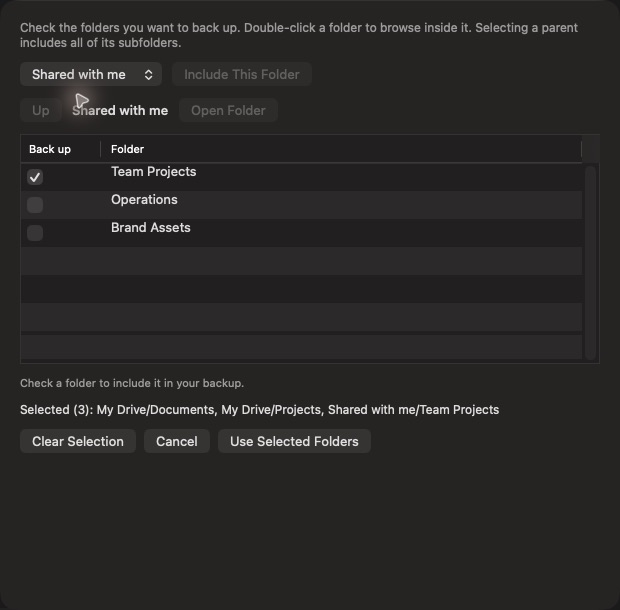
Your folders, including shared ones
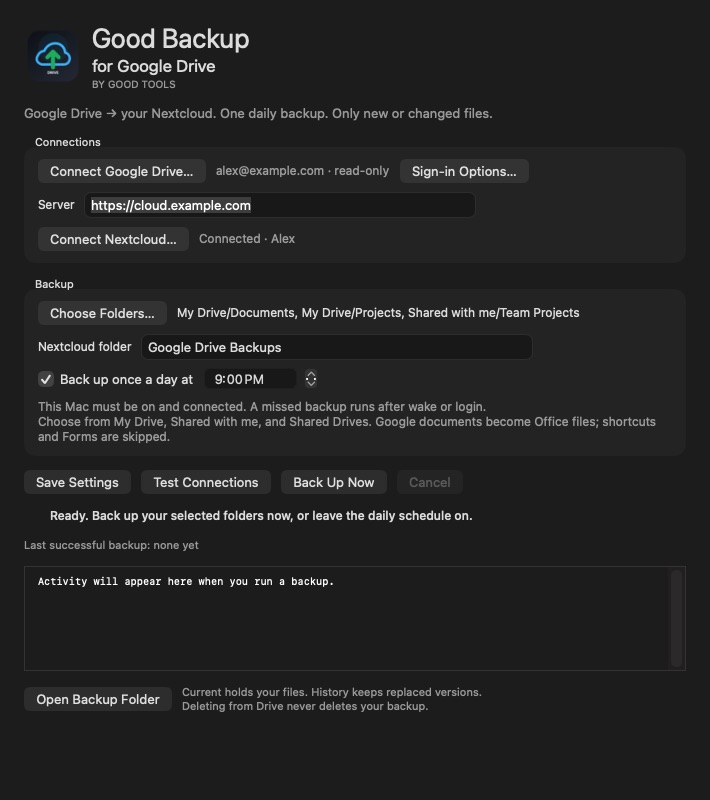
Choose specific folders from My Drive, Shared with me, and accessible Shared Drives. Parent selections include their subfolders, within your Google download permissions.
Mac Google Drive backup app
Back up selected Google Drive and shared folders to your Nextcloud once a day, copying only new or changed files.
Stay in the loop
Get an occasional email when Good Backup for Google Drive receives an important new version. No weekly newsletter.
The useful part
A separate Google Drive edition of Good Backup. Sign in with read-only Drive access, select the folders you want, connect your Nextcloud, and choose a daily time. The first run copies the selected contents; later runs compare the backup and transfer new or changed files. Files travel through your Mac to your chosen server. This early beta is for Apple Silicon Macs running macOS 13 or newer; a dedicated Google Desktop OAuth client is required for reliable sign-in and ongoing backups. Google client setup is part of tester onboarding.
Finding the right tool
Choose existing Drive folders, including accessible shared folders, and keep readable backup files on the Nextcloud server you control. This edition does not add client-side encryption or preserve Google revision history, sharing permissions, or comments as a full account archive.
Early Mac beta 0.1.0 requires macOS 13 or newer on Apple Silicon. Tester setup includes importing your own Google Desktop OAuth client and granting read-only Drive access. The app is not notarized, and Google public app verification is not complete.
What it does
Choose specific folders from My Drive, Shared with me, and accessible Shared Drives. Parent selections include their subfolders, within your Google download permissions.
Choose a daily time and let macOS run the backup in the background. An overdue backup can catch up after wake or login while your Mac is on, logged in, and connected.
Existing files are compared before transfer. Changed files are copied in full, and the previous copy is kept in dated History folders.
Browse the latest files in Current or recover a replaced version from History. Drive deletions do not delete saved copies. Google documents export to supported Office formats; Forms and shortcuts are skipped.
Check progress, start or cancel a backup, and reopen the app from its own icon. Open at Login starts it with its window hidden. The daily backup schedule works independently of the menu bar window.
How Good Backup for Google Drive stays good
Keep looking