Four account workspaces
Switch between separate encrypted Tumblr profiles without mixing their drafts.
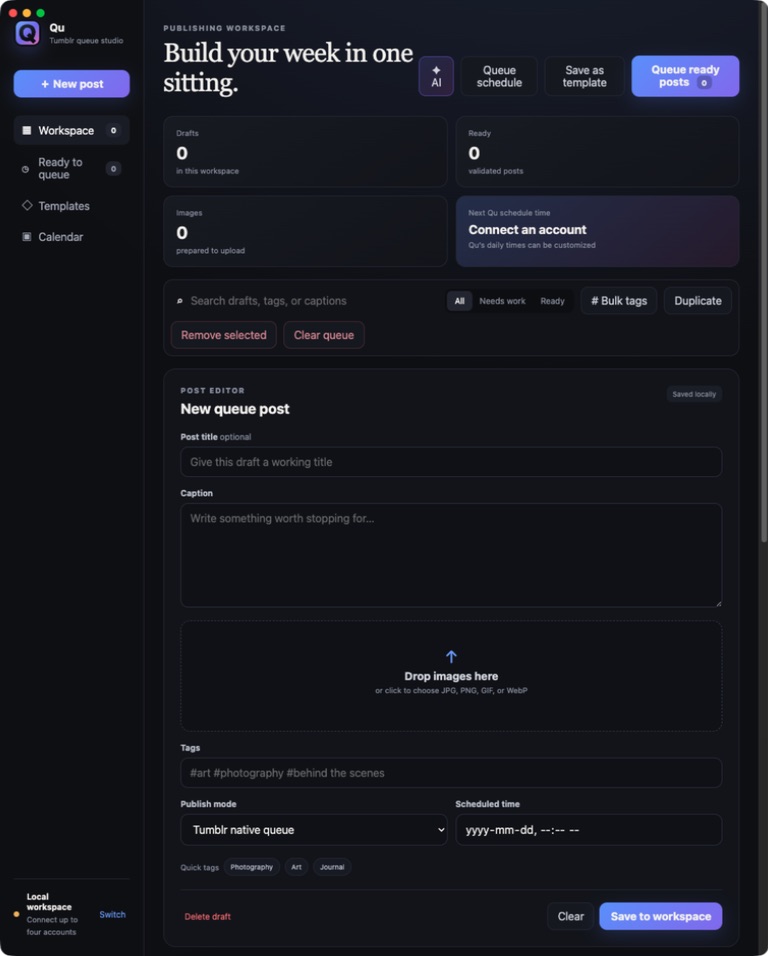
Tumblr desktop workspace

A visual desktop publishing workspace for preparing, organizing, scheduling, and posting across as many as four Tumblr accounts.
Stay in the loop
Get an occasional email when Qu for Tumblr receives an important new version. No weekly newsletter.
The useful part
Qu puts text and image drafts, richly formatted captions, tags, templates, publishing modes, posting times, the native Tumblr queue, and up to four separate account workspaces on one screen. Accounts connect through Tumblr OAuth, drafts stay local while you work, and every publishing batch requires a final confirmation.
Finding the right tool
Qu for Tumblr is social media software built specifically for creators preparing many posts across up to four Tumblr accounts.
It combines local drafts, images, captions, tags, content labels, templates, scheduled publishing, Tumblr’s native queue, and final batch confirmation without mixing account workspaces.
What it does
Switch between separate encrypted Tumblr profiles without mixing their drafts.
Create, duplicate, search, filter, and bulk-tag many posts from one workspace.
Apply Tumblr font styles, selected-text colors, and safe hyperlinks with a formatted preview before publishing.
Publish now, schedule a specific time, use Qu posting times, or add posts to Tumblr’s native queue.
Queued, drafted, scheduled, and immediate posts always stop for a final batch check.
How Qu for Tumblr stays good
Keep looking